Warp
changelog-20260828-2abdb525 commercialWarp is a modern terminal emulator with AI-powered command suggestions, built-in collaboration features, and improved productivity for developers.
/usage
/usage
/usage
oz agent run-cloud --title 'Nightly security scan' --parent-run-id <parent-run-id> <target>
/usage
open 'warp://tab_config/my-dev-setup?new_window=true'
warpify:
  ssh:
    reuse_existing_control_master: true
/rename-conversation my-prod-debug-session
open 'warp://settings?widget=keybindings'
open 'warp://settings?q=model+router'
/exit
/enable
/fast-forward
/connect-grok
vagrant box <TAB>
/connect-grok Summary
Warp is a modern terminal emulator with AI-powered command suggestions, built-in collaboration features, and improved productivity for developers.
Release history
- changelog-20260828-2abdb525
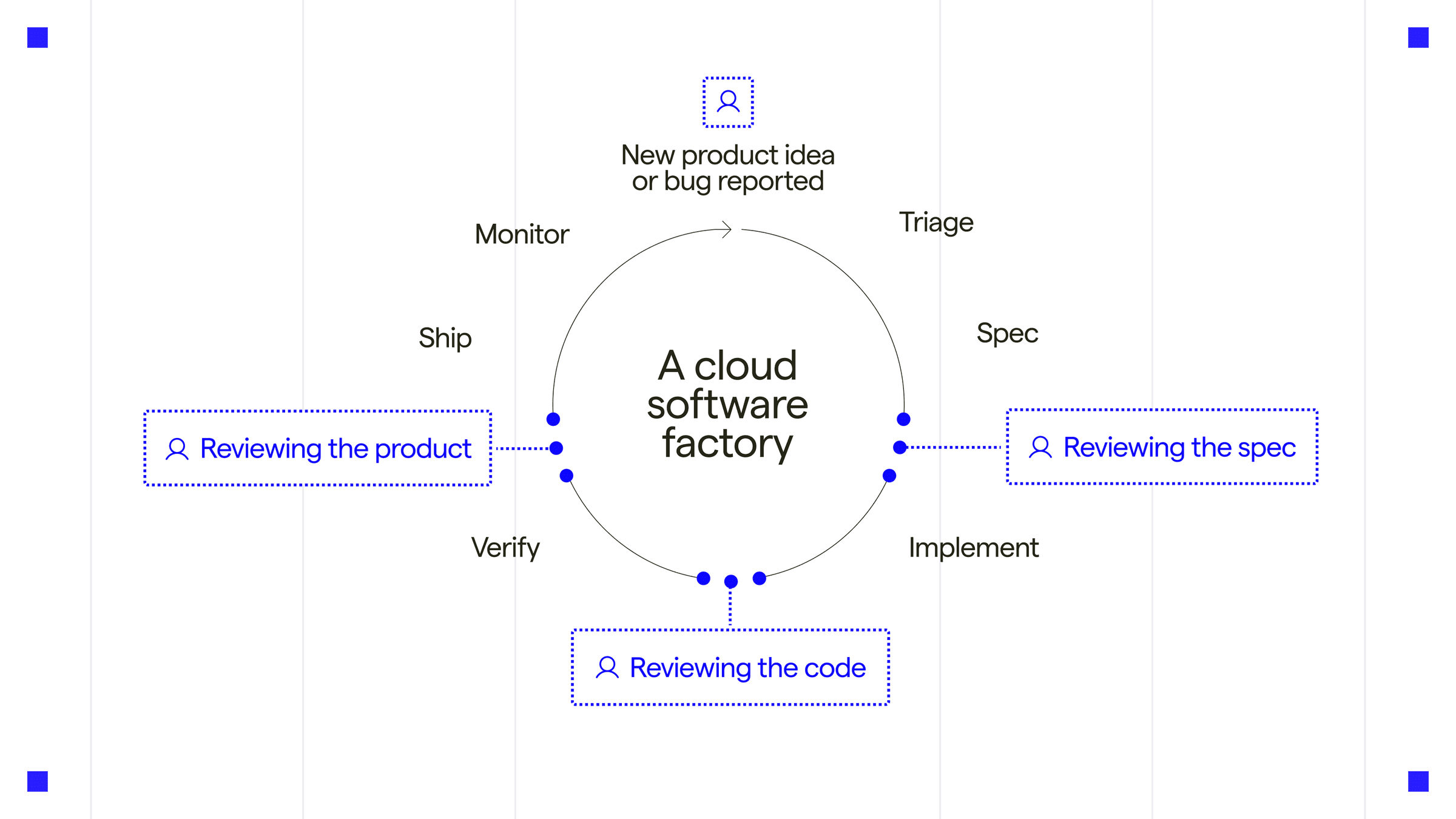
Warp Factories in Early Access, new
/usageCLI command, IME input on Windows/Linux, and new right-click and '#' input settings.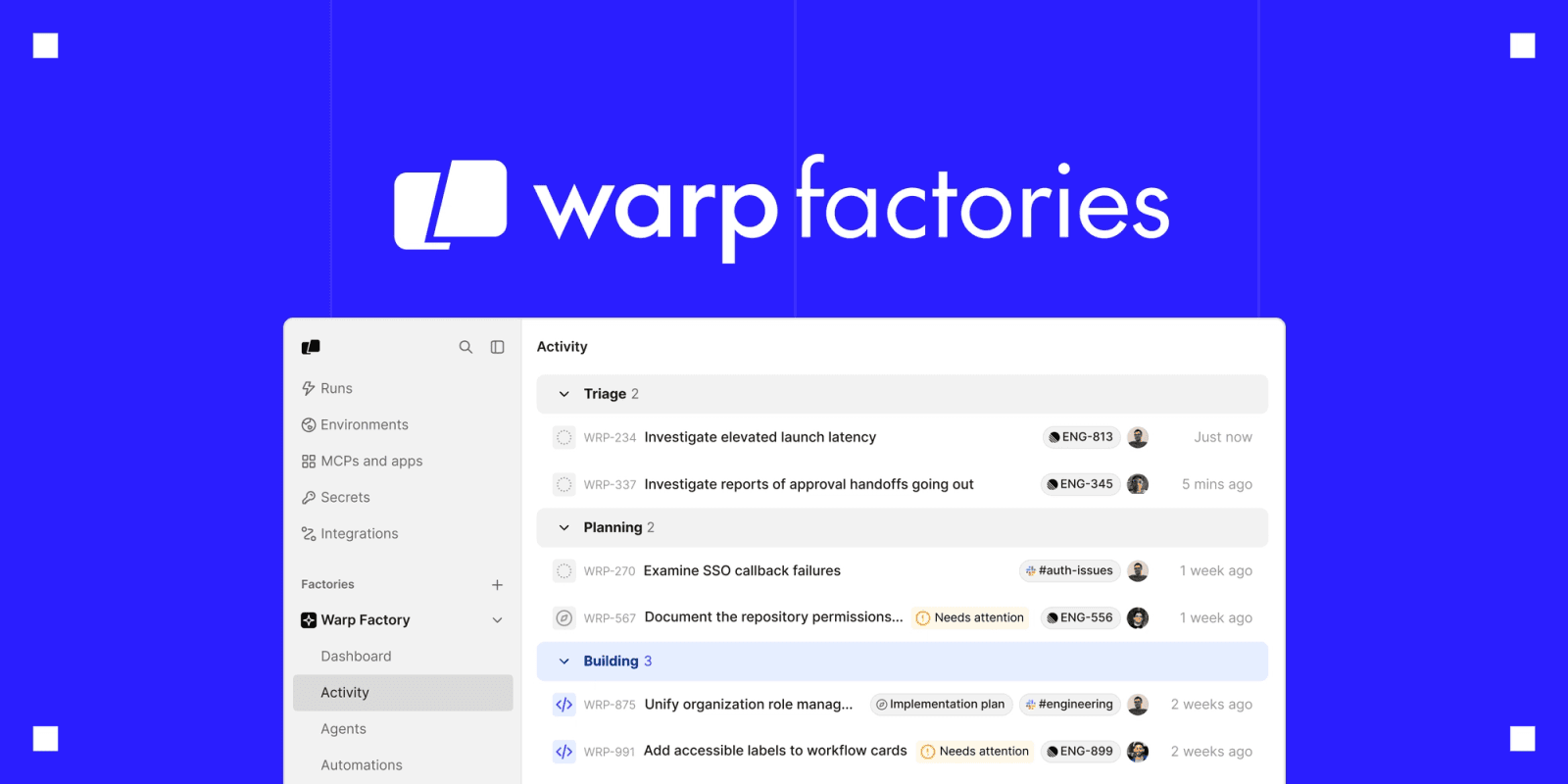
 └──▷ TRY ITCheck your current plan, remaining credits, and billing links from the CLI without leaving the terminal.
$ /usage- ›Warp Agent CLI now accepts
--titleand--parent-run-idflags so third-party harnesses can set a run's title and orchestration lineage. - ›Warp now includes a built-in Factory MCP server for logged-in users.
- ›The File explorer chip can now be added to Warp Agent's input toolbelt via Edit agent toolbelt.
- ›Vim keybindings now work in several more multi-line editors (commit messages, suggested-rule content, env var commands, compact AI inputs, queued-prompt editing, workflow dynamic enums) when vim mode is enabled.
- ›Vim keybindings now work in the rule editor when vim mode is enabled.
+3 moreshow less
- ›Workspace admins can now manage team membership (promote/demote/remove) on their current team, with 'Workspace admin'/'Workspace owner' badges shown in the team members list.
- ›Teamless users in a native workspace now see an Admin Panel link and joinable teams on the Teams settings page instead of team creation.
- ›The agent run details panel now has a copy button on the Initial query field.
- ›Warp Agent CLI now accepts
- docs update
Warp adds Factories Early Access, IME input on Windows/Linux, right-click paste setting, and per-category cost breakdowns
- ›Tab autocomplete now follows symlinks to directories in WSL sessions.
- 2026.08.25 (v0.2026.08.25.19.26)
Warp adds Factories in Early Access and a new
/usageinline command for the Agent CLI.└──▷ TRY ITCheck your current plan, remaining credits, and billing links without leaving the terminal session.$ /usage- ›Adds inline
/usagecommand to the Warp Agent CLI, displaying plan details, credit usage, and billing links. - ›Launches Warp Factories in Early Access.
- ›Adds inline
- 2026.08.27 (v0.2026.08.26.17.59)
Warp adds Factories Early Access, right-click paste setting, and a '#'
-blocks-AI-searchsetting alongside IME support on Windows/Linux.- ›Adds a setting to make bare right-click paste from the clipboard, with Shift+right-click still opening the context menu.
- ›Adds a setting to stop
#at the start of terminal input from opening AI Command Search, so shell comments are not interrupted. - ›Enables IME marked text (composition) input on Windows and Linux, previously macOS-only.
- ›Adds a 'Paste' item to the terminal block list's right-click context menu.
- ›Usage displays (agent block usage, conversation footer, usage history, and task details) now show a per-category dollar cost breakdown alongside credits.
+3 moreshow less
- ›Holding a modifier now shows each tab's switch-to-tab keyboard shortcut on the tab itself.
- ›The markdown viewer now preserves scroll position when switching between Rendered and Raw view modes.
- ›Disabled team/workspace members are now shown grayed out with an explanatory tooltip instead of appearing active.
- docs update
Warp Factories enters Early Access, adds
/usagecommand to Agent CLI, and expands completions and vim keybindings.└──▷ TRY ITCheck your current plan, credit balance, and billing links mid-session without leaving the terminal.$ /usageAdd the File Explorer chip to the Warp Agent input toolbelt to attach files to prompts interactively.📍In the Warp Agent input bar, click 'Edit agent toolbelt', then enable 'File explorer' from the list of available chips.- ›Extends vim keybindings to the rule editor when vim mode is enabled.
- ›Adds new shell completions for
mpv,ruff,deno,yay,paru,kubectl --uservalue completions,ip(address, link, route, neighbour, netns, rule, tunnel, xfrm, monitor, and remaining subcommands), andgit read-tree. - ›Agent run details panel now has a copy button on the Initial query field, matching the Error and Environment details fields.
- 2026.08.18 (v0.2026.08.18.02.52)
Warp Factories enters Early Access, plus new
oz agent run-cloudflags and expanded completions for ip, kubectl, ruff, and more.└──▷ TRY ITTag a cloud agent run with a human-readable title and link it to a parent orchestration run for traceability in CI pipelines.$ oz agent run-cloud --title 'Nightly security scan' --parent-run-id <parent-run-id> <target>
Add the File explorer chip to the Warp Agent input toolbelt so you can attach files to agent prompts without leaving the terminal.📍In Warp Agent, click 'Edit agent toolbelt', then enable 'File explorer' to add it to the input toolbelt.- ›Adds
--titleand--parent-run-idflags tooz agent run-cloud, letting third-party harnesses set a run's display title and orchestration lineage. - ›Warp Factories is now live in Early Access, with a built-in Factory MCP server available to all logged-in users.
- ›Adds File explorer chip to Warp Agent's input toolbelt, configurable via Edit agent toolbelt.
- ›Adds completions for
ip— coveringaddress,link,route,neighbour,netns,rule,tunnel,xfrm,monitor, and remaining subcommands — plusgit read-tree. - ›Adds completions for
mpv,ruff,yay,paru, andkubectl --uservalue completions; refreshesdenocompletions.
+3 moreshow less
- ›Extends Vim keybindings (when vim mode is enabled) to commit messages, suggested-rule content, env var commands, compact AI inputs, queued-prompt editing, workflow dynamic enums, and the rule editor.
- ›Workspace admins can now promote, demote, and remove members on their current team, and see 'Workspace admin'/'Workspace owner' badges in the team members list.
- ›Teamless users in a native workspace now see an Admin Panel link and joinable teams on the Teams settings page instead of a team creation flow.
- ›Adds
- 2026.08.19 (v0.2026.08.19.08.15)
Warp launches Factories in Early Access and adds an inline
/usagecommand to the Agent CLI.└──▷ TRY ITCheck your remaining Agent credits and billing info without leaving the terminal.$ /usage- ›Adds
/usageinline command to the Warp Agent CLI, surfacing plan details, credit usage, and billing links. - ›Launches Warp Factories in Early Access.
- ›Adds
- 2026.05.14 (v0.2026.05.13.09.15)
Warp 2026.05.14 adds directory-color tab theming, summary mode for vertical tabs, Agent Mode shortcut remapping, and configurable context windows for custom model endpoints.
└──▷ HOW TO FIND ITAsk Agent Mode to remap a keyboard shortcut — it will write the change directly into your keybindings file.📍In the Warp agent input, type: 'Remap the new tab shortcut to Cmd+T' — Agent Mode will locate and edit keybindings.yaml for you.Color-code tabs by working directory to instantly distinguish project contexts at a glance.📍Go to Settings › Appearance, then associate a color with each directory path — tabs will automatically adopt that color when their working directory matches.- ›Adds
workspace:rename_active_paneas a remappable keyboard binding, reachable from Settings → Keyboard shortcuts in addition to the existing right-click context menu. - ›Context window size is now configurable for custom model endpoints.
- ›Agent Mode can now edit
keybindings.yamldirectly to remap Warp keyboard shortcuts on request. - ›Adds 'Cycle Most Recent Tab' as a third Ctrl+Tab behavior option in Settings.
- ›Adds directory-color associations so tabs automatically adopt a configured color when their working directory matches — configure in Settings > Appearance.
+14 moreshow less
- ›Adds Summary mode for vertical tabs, providing a compact overview of tab contents.
- ›Adds Raw and Rendered display controls for Mermaid code blocks in notebooks, planning documents, and rendered Markdown views.
- ›Adds 'Reveal in Finder' option to the code pane overflow menu.
- ›Adds an autonomy speedbump when agents use the Ask-User-Question tool.
- ›Enables Oz OIDC authentication on the stable channel.
- ›SSH extension now supports
amd64architecture. - ›Agent Mode project rules are now re-indexed on app startup.
- ›WSL sessions now prefer Linux-side
gitandghbinaries over Windows interop. - ›Remote server binary is now verified with
--versionafter install. - ›SSH extension install now automatically retries via SCP fallback on network failures.
- ›Run duration is now visible on shell commands in conversation transcripts, with start/end timestamps on hover.
- ›Adds the installation path into the Windows Registry.
- ›Vim
ctrl-d/ctrl-uscroll the code editor by half a page in normal and visual mode. - ›Vim
zzcenters the cursor line vertically in the code editor.
- ›Adds
- 2026.05.18 (v0.2026.05.18.05.32)
Warp adds cloud Agent hand-off,
warp://tab_config/deeplinks, and multi-agent orchestration with Oz└──▷ TRY ITOpen a saved tab config by name directly from a browser or script — add?new_window=trueto force a fresh window instead of reusing the active one.$ open 'warp://tab_config/my-dev-setup?new_window=true'Access your cloud agent conversation history directly in Warp.📍In the Warp command palette or URL bar, navigate to/conversationsto view all cloud agent conversations.- ›Adds
warp://tab_config/<name>deeplink to open a saved tab config in the active window, or a new window with?new_window=true. - ›Cloud conversations are now accessible via the
/conversationspath. - ›Enables hand-off of local Warp Agent conversations to the cloud.
- ›Adds a 'Clear' action to the terminal right-click context menu for discoverability without a keyboard shortcut.
- ›Tab configs now run their commands sequentially.
+6 moreshow less
- ›Adds an Oz workflow to run any agent harness (Claude Code, Codex) in the cloud, with tracking and steering of agents.
- ›Warp Agents can now orchestrate swarms of subagents for parallel task execution.
- ›Opening a cloud agent conversation attaches to its existing session when one is available.
- ›Displays cloud agent environment name and setup status alongside vertical-tabs working directory.
- ›Shows server-provided
user_display_messagetext in quota-limit errors. - ›Skips SSH extension install on unsupported remote platforms.
- ›Adds
- 2026.05.20 (v0.2026.05.20.09.21)
Warp adds CLI API key management, OSC 52 clipboard controls, custom AI inference endpoints, and BYOK support.
- ›Adds CLI commands for managing API keys.
- ›Adds a user-configurable setting to control terminal clipboard access via OSC 52, with a warning banner shown when access is blocked.
- ›Enables custom inference endpoint configuration for AI models on the stable channel.
- ›Adds a macOS setting to automatically hand off active local Warp Agent sessions to Cloud Mode before sleep.
- ›Enables solo-user bring-your-own-key (BYOK) support and launches a redesigned Billing & Usage page.
+8 moreshow less
- ›Adds a View in Oz action to orchestration child-agent pill menus.
- ›Adds a keybinding to toggle file navigation in Code Review.
- ›Enables the
CMD+Oshortcut and@context menu in remote SSH sessions. - ›Adds diff statistics to the diff chip in remote SSH sessions.
- ›Adds a create-environment flow to the orchestration environment picker.
- ›Double-clicking pane dividers now evenly redistributes panes in a split.
- ›Oz refreshes GitHub credentials during task runs to keep Git operations authenticated.
- ›The new-tab worktree menu now abbreviates the home directory to
~, left-truncates long paths, and surfaces the full absolute path on hover.
└──▷ BREAKING ON UPGRADE- !Custom AI model selection is no longer available for cloud agent runs; custom endpoints remain available for local agents and non-cloud conversations.
- 2026.05.27 (v0.2026.05.27.15.44)
Warp adds git ops in code review, async find, Oz CLI agent commands, podman support, and a focus URL for external tools.
└──▷ HOW TO FIND ITEnable the faster async find to keep Warp responsive when searching large command outputs.📍In Warp, go to Settings → Features → Asynchronous find and toggle it on.- ›Adds Asynchronous find opt-in setting under Settings → Features to keep the UI responsive when searching large terminal outputs.
- ›Warp now exposes a focus URL in terminal session environments so external notification tools can return focus to the originating pane.
- ›The Oz CLI gains commands for operating over reusable agents.
- ›Adds an execution profile permission in Oz for controlling whether agents can use
run_agents. - ›Adds search to the Oz Cloud API Keys settings page.
+10 moreshow less
- ›Adds git operations to the code review pane.
- ›Custom inference endpoints now show token usage with friendly alias names in Agent Mode.
- ›Adds AWS Bedrock indicators in the model selector for Bedrock-enabled models.
- ›Adds the ability to view attached images in agent conversations.
- ›Markdown files opened from remote SSH sessions now render in the markdown viewer with Rendered/Raw toggle support.
- ›Adds a QR code flow for remote-control sessions.
- ›Mermaid diagrams in notebooks can now be opened in a lightbox by clicking the rendered diagram.
- ›Orchestration child agent pills now sort by status, surfacing attention-needed items first.
- ›Adds a disconnection banner when remote SSH sessions lose connection.
- ›Adds in-session size-based rotation for
warp.logso the log no longer grows unbounded within a session.
- 2026.06.03 (v0.2026.06.03.09.49)
Warp adds prompt queueing with
/queuecommand, dotnet CLI completions, and configurable line numbers for code editors.└──▷ HOW TO FIND ITQueue follow-up prompts while the agent is still running so your next instructions are ready the moment it finishes.📍In the Warp input line, click the queue chip to activate prompt queueing mode, or type/queuefollowed by your next prompt to add it to the queue.- ›Adds
/queuecommand and a 'Queue until response finishes' default submission mode (configurable in settings) to queue multiple follow-up prompts while the agent is working; also activatable via a chip in the warping line. - ›Adds
warp://action/open_file_editorURI scheme so external apps can open files at specific locations in Warp. - ›Adds
/compact-andand/fork-and-compactcommands updated to use the queued prompts UI. - ›Adds 'Send Now' button to queued prompts for immediate execution without leaving queue mode.
- ›Adds setting to control whether mid-conversation prompts interrupt or queue the agent.
+10 moreshow less
- ›Adds missing flag completions for
gh pr merge. - ›Adds
dotnetCLI completions. - ›Adds configurable absolute and relative line numbers for code editors.
- ›Adds Command Palette entries for toggle settings across Appearance, Features, Code, Privacy, AI, and other settings pages that were previously missing.
- ›Cloud agent sessions can now be started without an initial prompt.
- ›Enables handoff for locally orchestrated conversations.
- ›Agent requests now include PR and repository metadata for better context-aware responses.
- ›Authentication secrets for agent orchestration can now be deleted directly from the selector menu.
- ›Conversation usage breakdown now surfaces inference vs. platform credit split.
- ›Reorders the tools panel to show the project explorer first and conversation list second.
- ›Adds
- 2026.06.10 (v0.2026.06.10.09.27)
Warp adds Git ops on remote sessions, project rules discovery, IME on Linux, and new Agent Mode controls
└──▷ HOW TO FIND ITAutomatically apply project-level AI rules on a remote session by placing instructions in the repository root.📍In your remote repository root, create a WARP.md or AGENTS.md file with project rules — Warp remote sessions will discover and apply them automatically.- ›Adds a setting to submit Rich Input on Ctrl+Enter, so Enter inserts a newline for easier multi-line prompt composition with CLI agents.
- ›Adds a setting to control whether orchestration messages are expanded or collapsed by default.
- ›Adds a setting to hide the title bar search bar in the vertical tab layout.
- ›Remote sessions now discover and apply project rules files such as
WARP.mdandAGENTS.md. - ›Git operations are now supported on remote sessions.
+9 moreshow less
- ›Enables input method editor (IME) support on Linux X11 for composing non-Latin text.
- ›Terminal commands can now be queued in addition to prompts.
- ›Adds a toggle to show hidden files in the Project Explorer.
- ›Adds keyboard shortcuts for cycling through orchestrator and subagent sessions in Agent Mode.
- ›Adds a way to jump directly to the latest agent message in the terminal.
- ›Mermaid diagrams now tolerate and apply supported frontmatter formatting directives when rendered in Warp.
- ›Agent handoff surfaces now accept empty prompts and support handing off in a single click.
- ›Long-running command agent boxes can now be resized by dragging their top or left edge.
- ›Improved detection of natural-language input versus shell commands in the input editor.
- 2026.06.17 (v0.2026.06.17.09.49)
Warp adds
/rename-conversation, git chips over remote environments, 'Format on save' toggle, and a new SSH ControlMaster reuse setting.└──▷ USE ITPrevent Warp from overwriting your existing SSH ControlMaster (and its port forwards) when connecting to a remote host.warpify: ssh: reuse_existing_control_master: trueRename the current conversation without leaving the terminal input.$ /rename-conversation my-prod-debug-sessionJump straight to Warp Agent settings from a browser or script without navigating through the Settings UI.📍Go to Settings → Code and enable or disable 'Format on save' to control whether LSP auto-formatting fires on every save while keeping completions and diagnostics active.- ›Adds
warpify.ssh.reuse_existing_control_masteropt-in setting so Warp's SSH wrapper attaches to an existing SSH ControlMaster for the destination host instead of creating its own, preserving user-managed masters and their port forwards. - ›Adds
/rename-conversationcommand to rename conversations directly from the input. - ›Adds a
warp://settings/warp_agentdeep link that opens the Warp Agent settings page directly. - ›Adds a 'Format on save' setting (Settings → Code) to disable automatic LSP formatting on save while keeping other LSP features enabled.
- ›Adds support for git chips (diff status indicators) over remote environments.
+7 moreshow less
- ›SuperGrok xAI Grok model integration moves from dogfood to stable, allowing users to connect an xAI Grok subscription for use in the agent.
- ›Warp now prompts once to enable automatic local-to-cloud handoff when the computer sleeps during a local agent run, and shows a confirmation toast when handoff completes.
- ›Cloud agent runs now continue without MCP servers that fail to start within the 20-second startup window instead of failing the run.
- ›Conversations can now be renamed by double-clicking their title in the conversation list.
- ›Double-clicking the empty area of the vertical tabs panel opens a new tab.
- ›Transient network error banners now surface underlying error details to aid in debugging connection issues.
- ›Pressing Enter with an empty input and queued prompts automatically sends the top queued prompt.
└──▷ BREAKING ON UPGRADE- !The experimental tmux-based SSH warpification flow has been removed in favor of Warp's SSH extension; users who had opted into the tmux wrapper see a one-time notice on their next SSH session.
- ›Adds
- 2026.06.24 (v0.2026.06.24.09.19)
Warp adds custom model routers for Agent, Git Branch Status prompt chip, cross-window tab dragging, and warpctrl CLI wrappers.
└──▷ HOW TO FIND ITHide Warp from the Dock when summoning it via the global hotkey, keeping your desktop uncluttered.📍In Warp, open Settings → Features → Global hotkey and enable 'Hide Warp from Dock when using hotkey window'.- ›Ships channel-specific
warpctrlCLI wrappers withPATHinstall/uninstall support on macOS. - ›Adds a setting to auto-queue prompts until the end of a long-running command, preventing premature agent steering (enabled by default).
- ›Adds a 'Show hidden files' toggle to the Settings UI.
- ›Warp Agent now supports custom model routers — complexity-based (routed by task difficulty) or rule-based (routed by natural language prompts).
- ›Adds a Git Branch Status prompt chip displaying branch name with ahead/behind commit counts.
+9 moreshow less
- ›Enables cross-window tab dragging on stable for Windows and macOS.
- ›Adds a 'Continue locally' button for in-progress cloud runs to seamlessly switch to local execution.
- ›Third-party agent harnesses (Codex, Claude Code) now support local continuation when a cloud run is interrupted.
- ›Remote SSH Agent conversations now use bundled skills, home skills, and file-based global rules from the remote host.
- ›[macOS] Adds an option to hide Warp from the Dock while using the dedicated hotkey window (Settings → Features → Global hotkey).
- ›Adds a richer notifications plugin for Codex.
- ›Connected AI provider labels are now shown in the host picker when choosing between available agents.
- ›Shell integration now passes command completion metadata via Precmd for more accurate completions.
- ›Oz cloud environment setup now supports cloning GitLab repositories.
- ›Ships channel-specific
- 2026.07.03 (v0.2026.07.01.09.21)
Warp adds native agy agent support, custom model routers, Tab Groups, deep-link settings URLs, and Oz memory-store CLI commands.
└──▷ TRY ITJump directly to a specific Warp settings widget from a browser or script — useful for sharing onboarding instructions or automating configuration walkthroughs.$ open 'warp://settings?widget=keybindings'Search Warp settings by keyword without navigating the UI — handy for quickly locating a setting from docs or a runbook link.$ open 'warp://settings?q=model+router'Organize a busy terminal session into named Tab Groups for project isolation — drag related tabs together, then collapse groups you are not actively using.📍In the tab bar, right-click a tab and choose 'New Group with Tab'. Name the group (e.g. 'infra-deploy'), assign a color, then drag additional tabs into it. Use the assigned keyboard shortcut to collapse or expand the group.- ›Adds
warp://settingsdeep links to open settings directly, pre-fill the search bar with?q=, or jump to a specific setting with?widget=. - ›Adds Oz CLI commands for memory store management: list/get/update stores, list store agents, list/create/update/delete memories, and view memory version history.
- ›Adds native support for the
agy(Antigravity) CLI agent. - ›Adds custom model routers — define routing rules to send agent requests to different models, configurable directly in Warp Agent settings without manual YAML editing.
- ›Adds Tab Groups — organize tabs into named, collapsible groups in horizontal and vertical tab bars, with custom colors, names, drag-to-reorder, and keyboard shortcut management.
+10 moreshow less
- ›Adds Droid rich status listener support for structured CLI agent notifications.
- ›Adds a 'Copy as Markdown' action to AI planning document menus.
- ›Adds artifact download notifications with links to open the file or its containing directory.
- ›Adds the ability to assign a custom keyboard shortcut to 'New File' from Settings > Keybindings.
- ›Enables sending code review comments to the agent via keyboard shortcut (
Ctrl/Cmd+Enter), with the shortcut labeled on the 'Send to Agent' button. - ›Agent responses now surface fetched memories as citations.
- ›The agent context window indicator now shows remaining context instead of consumed context.
- ›After saving a BYOK API key, Warp now suggests a provider-appropriate default model.
- ›The Warp CLI and
warpctlbinaries are now statically compiled on Linux for improved compatibility. - ›Improves PowerShell startup time on Windows by deferring cmdlet loading during bootstrap.
- ›Adds
- 2026.07.09 (v0.2026.07.08.17.54)
Warp 2026.07.09 adds markdown syntax highlighting, cross-window tab dragging, and a heap profile Command Palette action.
- ›Adds a Command Palette action to write a heap profile to disk.
- ›Adds 'Copy file path' to the file viewer pane right-click menu.
- ›Markdown files now have syntax highlighting in the editor.
- ›Makes custom inference model lists scrollable.
- 2026.07.16 (v0.2026.07.15.08.55)
Warp 2026.07.16 adds a cloud agent connection indicator, a 'Copy current path' Command Palette action, and tools-panel tab toggles in Settings.
└──▷ HOW TO FIND ITQuickly copy the current working directory path to the clipboard without typingpwd— useful when switching between terminals and editors.📍Open the Command Palette and search for 'Copy current path', then press Enter to copy the current directory to your clipboard.Declutter the tools panel by hiding tabs you don't use regularly.📍In Warp, go to Settings → Appearance and use the new toggles to show or hide individual tabs in the tools panel.- ›Adds a Copy current path action to the Command Palette for quick clipboard access to the current directory path.
- ›Adds toggles in Settings → Appearance to control which tabs appear in the tools panel.
- ›Adds a connection indicator for cloud agent sessions to surface session status at a glance.
- ›Replaces the
/pr-commentsslash command with the bundled PR Comments skill. - ›Adds Resend and Sentry product icons to the MCP gallery.
+7 moreshow less
- ›Faster app startup via lazy loading of persisted agent conversations instead of full decode at launch.
- ›MCP tool-call request/response previews in Agent Mode now render in monospace font.
- ›The run details Status chip now links directly to the corresponding run in Oz web.
- ›Double-click a collapsed hidden section in the diff editor to fully expand it.
- ›Adds a Subscribe button to the out-of-credits AI error for quick upgrade access.
- ›Adds a Copy action to the locked initial queued prompt in cloud mode.
- ›Highlighted currently selected period in the Billing & Usage dropdown.
└──▷ BREAKING ON UPGRADE- !The
/pr-commentsslash command has been replaced by the bundled PR Comments skill — any workflows using/pr-commentsdirectly will need to switch to the PR Comments skill.
- 2026.07.23 (v0.2026.07.22.09.01)
Warp adds native omp integration, tab pinning, oz cloud runner CLI, TUI image support, and a renamed
warpTUI binary with slash commands.└──▷ TRY ITQuit the Warp TUI from the keyboard or slash command after a session.$ /exitEnable natural language detection in the TUI so Warp auto-routes your input to agent or shell mode.$ /enableToggle per-conversation autoexecute (fast-forward) mode without leaving the TUI.$ /fast-forward- ›Renames the Warp TUI binary from
warp-tuitowarp. - ›Adds
/exit, Ctrl+D,/view-logs,/logout, and/fast-forwardslash commands to the Warp TUI. - ›Adds
agent_identity_uidsupport for remote child agent execution in orchestration. - ›Adds
ozrunner CLI commands for creating, listing, and managing cloud runners. - ›Adds a Speech Language setting for voice input so multilingual users can force a transcription language instead of relying on auto-detect.
+14 moreshow less
- ›Adds an opt-in 'Auto save' setting for the Warp text editor at Settings > Code > Code Editor and Review, saving changes as you type and on focus loss.
- ›Adds natural language detection to the headless TUI input with
/enableand/disableslash commands to opt in or out. - ›Adds Ctrl+P keybinding to expand and collapse inline plans in the TUI.
- ›Supports pinning individual tabs and tab groups to keep them at the front of the tab bar.
- ›Adds support for attaching images to prompts in the Warp TUI.
- ›Enables Cloud Runners and Cloud Agent Runners for all users.
- ›Warp TUI now renders and forwards input to alt-screen applications (vim, htop, etc.) including mouse interactions.
- ›Renders formatted Markdown in Agent Mode output in the TUI.
- ›Persists TUI prompt history across sessions.
- ›Adds a status line to the TUI showing shell, cwd, and agent mode context.
- ›TUI now surfaces generic tool call, file edit, and shell command permission requests — with shell commands editable before confirming.
- ›TUI input shows ghosted keybinding hints that adapt to agent mode,
!shell mode, and long-running command state. - ›Async find is now enabled for all users.
- ›Agent now includes pull request URL and repository host in Git context.
└──▷ BREAKING ON UPGRADE- !The Warp TUI binary has been renamed from
warp-tuitowarp; any scripts or aliases referencingwarp-tuiwill break. - !TUI orchestration tab bar now uses Down (instead of Shift+Down) to focus the input.
- ›Renames the Warp TUI binary from
- 2026.07.31 (v0.2026.07.29.09.05)
Warp adds schema-selectable custom model endpoints, agent settings-file config, and oz CLI prompt/model controls
- ›The
ozCLI now accepts harness-specific model IDs with--harness claudeand--harness codex.
- ›The
- 2026.08.13 (v0.2026.08.12.21.54)
Warp adds tab-cycle color keybinding, vagrant/openssl/journalctl/yc completions, and Grok account TUI command
└──▷ TRY ITConnect a Grok account without leaving the Warp Agent CLI — useful when setting up X Premium / SuperGrok as your AI provider.$ /connect-grokExplore vagrant completions to discover subcommands and dynamic machine names without memorizing the CLI.$ vagrant box <TAB>- ›Adds
opensslcommand-line completions. - ›
pkill <TAB>now suggests running process names instead of filesystem paths.
- ›Adds
- 1.0.0
Warp now publishes an API — 30 endpoints across 2 areas: Agent, Schedules
- ›Agent (23 endpoints) — Operations for running and managing cloud agents
- ›Schedules (7 endpoints) — Operations for creating and managing scheduled agents
- snapshot-20260820
Warp snapshot-20260820 adds
SKILLS_DIRSenv var, custom model endpoint schemas,/connect-grokTUI command, and broad CLI completions.└──▷ TRY ITConnect a Grok account mid-session without leaving the Warp Agent CLI.$ /connect-grok- ›Adds
SKILLS_DIRSenvironment variable in agent-driver mode to index extra skill directories at personal-skill precedence. - ›Adds
/connect-grokTUI slash command in Warp Agent CLI to jump straight into connecting a Grok (X Premium / SuperGrok) account. - ›Custom model endpoints can now select an OpenAI Chat Completions, OpenAI Responses, or Anthropic Messages schema.
- ›Agent execution profiles can now be configured from settings files for all users.
- ›Child agents can now be launched with repository-qualified skill references instead of absolute paths.
+17 moreshow less
- ›Adds completions for
vagrant, including its nestedbox,cloud,plugin, andsnapshotcommand groups plus dynamic machine and box names. - ›Adds completions for
opensslcommand-line interface. - ›Adds inline command completions for the Yandex Cloud CLI (
yc) and git worktree name suggestions. - ›Adds completions for
journalctl, including units, boots, journal fields, and syslog identifiers. - ›Tab autocomplete now follows symlinks to directories in remote/SSH sessions.
- ›Adds a customizable action to cycle the active tab color from a keybinding or the Command Palette.
- ›Cloud agent run details now show the platform the run executes on, with a macOS or Linux icon alongside the architecture and runner.
- ›Third-party agent harnesses can now report non-PR work products back to Warp.
- ›
gcloudis now signed in automatically during GCP provider setup for cloud agents. - ›Managed secrets are now validated against the 128 KB environment variable limit before an agent run starts.
- ›The
ozCLI can now set a named agent's prompt when creating or updating agents. - ›MCP tool confirmations now show which tool is running and which server it came from.
- ›Code-block file references now open in your configured editor, with a Warp fallback.
- ›Failed cloud agent runs now stay open and attachable for debugging instead of becoming unreachable.
- ›The Warp Agent CLI's Agents bar now mirrors the GUI's multi-level orchestration with drill-down, breadcrumbs, and subtree rollup badges.
- ›Computer-use video recordings now render a smooth synthetic cursor that glides between actions and tracks drags continuously.
- ›Adds Vim
<and>indent and dedent operators to the code editor.
- ›Adds