Devin Desktop
changelog-20260828-5ce69e0e commercialWindsurf's Devin Desktop is an AI-powered IDE that provides autonomous coding assistance, debugging, and development workflow automation.
attribution: false
In Settings, open User or Team settings and set:
sandbox.excluded:
  allow:
    - my-special-tool
/usage
// In your user settings (settings.json)
{
  "workbench.statusBar.visible": true
}
# Create a custom subagent definition
mkdir -p agents
cat > agents/security-reviewer.md << 'EOF'
# Security Reviewer
You are a security-focused subagent. Review code changes for vulnerabilities and suggest mitigations.
EOF
"workbench.editor.useModal": "all" Summary
Devin Desktop is a commercial desktop application that gives software teams a local IDE for working with Devin, an autonomous AI coding agent that writes, runs, and tests code against tickets, bug reports, and feature requests. It runs on a developer's own machine, connecting to cloud Devin sessions or local ones, with support for worktrees, WSL, SSH, and dev containers, and it hands longer tasks off to Devin's cloud service via a terminal handoff command. It targets software engineers and engineering teams looking to delegate well-scoped implementation work rather than lean on autocomplete, and it fits the category of AI coding agents rather than assistive code-completion tools. Its interface handles permissions across enterprise, project, and subagent layers, diff review, session forking, and plugin management, and with 57 releases tracked since its 2024 launch, it is under active, frequent development.
Windsurf's Devin Desktop is an AI-powered IDE that provides autonomous coding assistance, debugging, and development workflow automation.
What Devin Desktop answers
Can I control which team members' permission settings win when rules conflict?
permission rules from enterprise, mode, user, project, and subagent layers compose together, with an explicit deny at any layer overriding grants and the denial reporting which layer blocked it
Do I lose my work if I revert or fork mid-task?
reverting cancels the in-progress turn first before rolling back, and forking or duplicating a session opens the copy in a new tab while leaving the original conversation running
Can I share a session with a coworker without exposing secrets or internal prompts?
a share action uploads a sanitized transcript with system prompts, tool definitions, and secrets stripped and file paths normalized, then copies a team-visible link
Does it work the same when my code lives on a remote machine?
codemaps and configuration files open from the remote side when connected over WSL, SSH, or a dev container, rather than reading a stale local copy
What happens if a task is too large to review in one shot?
large file reads are bounded and paginated instead of repeatedly reloading overflow content, and diff summaries on grouped changes open a multi-file review scoped to just that group
How do I know what a task will cost before it runs away from me?
session size indicators use the same usage thresholds as the web app, with billing notices for continued work shown inline in the conversation
Release history
- changelog-20260828-5ce69e0e
Devin Desktop adds multi-window agents, per-session URL copying, plan-mode Markdown files, and new ACP activity-sharing settings.

 └──▷ HOW TO FIND ITKeep the Agent Command Center in its own window so you can view code in the editor and interact with the agent simultaneously on a second monitor.📍In Devin Desktop, open Settings and set
devin.agentWindow.locationto a separate window value, then reopen the Agent Command Center to have it detach from the editor.Share a direct link to a running session with a teammate or paste it into a ticket for traceability.📍Right-click a session tab (or open the command palette) and choose Copy Session URL to copy the link to your clipboard.Prevent terminal activity and local edits from being forwarded to ACP agents when working on sensitive codebases.📍In Devin Desktop Settings, locate the ACP activity-sharing settings and toggle off the integrated terminal activity and local user-edit activity options.- ›Adds
devin.agentWindow.locationconfig setting to split the Agent Command Center into a separate window from the editor. - ›Session tabs and the command palette now offer Copy Session URL for sharing or referencing individual sessions.
- ›Adds new settings to control whether integrated terminal activity and local user-edit activity are shared with ACP agents (both on by default).
- ›Windows: Install Devin CLI now writes a shim to the bundled CLI so updating Devin Desktop also updates the
devincommand. - ›Improved plan mode now produces a full Markdown plan file with a separate Implement button for explicit review before execution.
+11 moreshow less
- ›Any number of agent windows can now run side by side in the Agent Command Center.
- ›The Agent Command Center now follows whichever space is selected instead of being tied to one folder, and converts an editor window in place with no reload or save prompt.
- ›Adds the ability to rename sessions from the tab dropdown.
- ›Adds support for multi-root workspaces containing virtual filesystem folders.
- ›Hooks now run for worktrees created from a Devin Local session, copying
.envfiles and other untracked setup before the session starts. - ›Live shell output streams into the session while a command runs; finished shell rows expand to show the full command and complete output.
- ›Saving a session's network config now reports a conflicting change instead of silently discarding it, and approving a network access request explains why it failed.
- ›The sessions sidebar now has improved filtering and sorting controls.
- ›Agent sidebar, composer, and welcome page now warn when a workspace is untrusted and offer a
trust workspaceprompt to activate local agents. - ›Enterprise: adds a link to request more usage when hitting ACU limits.
- ›Linux: uninstalling or upgrading the
.debpackage no longer removes the shared Microsoft apt keyring.
- ›Adds
- v3.8.20
Devin Desktop v3.8.20 adds multi-window agents, a new
devin.agentWindow.locationsetting, plan-mode Markdown files, and live shell streaming.
- ›Adds
devin.agentWindow.locationconfig setting to split the Agent Command Center into a separate window from the editor. - ›Windows: Install Devin CLI now writes a shim to the bundled CLI so updating Devin Desktop also updates the
devincommand. - ›
post_setup_worktreehooks now run for worktrees created from a Devin Local session, copying.envfiles and other untracked setup before the session starts. - ›New settings control whether integrated terminal activity and local user-edit activity are shared with ACP agents (both default to on).
- ›Agent Command Center now follows whichever space is selected (not tied to one folder), converts an editor window in place with no reload or save prompt, and supports any number of agent windows running side by side.
+11 moreshow less
- ›Significantly improved performance for switching between Agent and Editor mode (
Ctrl/Cmd+G). - ›Adds support for multi-root workspaces containing virtual filesystem folders.
- ›Plan mode now produces a full Markdown plan file that can be reviewed separately, with an explicit Implement button.
- ›Devin Local tabs now show the same status indicators as Cascade legacy tabs; Current Workspace view filters out other projects' conversations.
- ›Sessions sidebar gains improved filtering and sorting controls.
- ›Live shell output streams into the session while a command runs; finished shell rows expand to show the full command and complete output.
- ›Session tabs and the command palette now offer 'Copy Session URL'.
- ›Adds ability to rename sessions from the tab dropdown.
- ›Agent sidebar, composer, and welcome page now warn when a workspace is untrusted and offer a trust workspace prompt to activate local agents.
- ›Enterprise: adds a link to request more usage when hitting ACU limits.
- ›Saving a session's network config now reports a conflicting change instead of silently discarding it; approving a network access request now explains why it failed.
- ›Adds
- 1.0.0
Devin Desktop now publishes an API — 23 endpoints across 7 areas: Sessions, Playbooks, Knowledge, …
- ›Sessions (7 endpoints) — Operations for creating and managing Devin sessions
- ›Playbooks (5 endpoints) — Operations for managing playbooks
- ›Knowledge (4 endpoints) — Operations for managing knowledge
- ›Secrets (3 endpoints) — Operations for managing secrets and credentials
- ›Attachments (2 endpoints) — Operations for file uploads
+2 moreshow less
- ›Auditlogs (1 endpoint) — Operations for managing audit logs
- ›Enterprise (1 endpoint) — Operations for enterprise-specific features and reporting
- v3.1.7
Devin Desktop v3.1.7 adds
.devinignoresupport, renames 'Devin CLI' to 'Devin Local', and improves Agent/Editor switching.- ›Adds
.devinignorefile support alongside.windsurfignoreand.codeiumignorefor controlling which files the agent processes. - ›Adds the Agent/Editor mode switch to the collapsed-sidebar titlebar, and unifies the search icon to open agent search.
- ›Renames the 'Devin CLI' settings section to 'Devin Local'.
- ›Adds a notification when Devin Local agent sign-in fails.
- ›Updates the bundled Devin Local agent to v2026.5.26-8.
+1 moreshow less
- ›Settings and MCP marketplace pages now scroll across the full panel width and keep content centered on wide panels.
- ›Adds
- v3.2.16
Devin Desktop v3.2.16 adds a plugin system for Devin Local, MCP tool calls from subagents, and CLI-scoped terminal allow/deny lists.
- ›Introduces a Devin plugin system for extending Devin Local — currently in preview and opt-in for enterprises.
- ›Enables subagents to call MCP tools directly.
- ›Adds CLI permission scopes so teams can enforce terminal allow/deny lists.
- ›Enables the
Cmd+.mode-toggle shortcut from the empty editor welcome panel.
- v3.3.18
Devin Desktop v3.3.18 adds ACU usage display, subagent default models, faster MCP startup, and a commit-message attribution toggle.
└──▷ USE ITSuppress 'Devin' attribution lines in commit messages generated by the agent.attribution: false
- ›Adds an
attributionoption to the Devin Local config file; set it tofalseto suppress Devin mentions in commit messages. - ›Subagents can now be configured with a default model.
- ›Devin ACU usage is now displayed in the client.
- ›MCP registry cache is now warmed during startup so MCP servers are ready sooner.
- ›Injected context is no longer included in auto-generated session titles.
- ›Adds an
- v3.4.22
Devin Desktop v3.4.22 adds sandbox exclusion controls, reviewable diffs in autonomous mode, and ACU usage tracking.
└──▷ USE ITAllow a specific command to run outside the sandbox entirely, bypassing both the sandbox and its proxy environment — useful for tools that break under the sandbox proxy.In Settings, open User or Team settings and set: sandbox.excluded: allow: - my-special-toolCheck how much ACU your current session or account has consumed without leaving the chat.$ /usage- ›Adds
sandbox.excludedconfig (available at user and team settings levels) withallow/ask/denymodes to run specific commands outside the sandbox; excluded commands also bypass the sandbox proxy environment. - ›Adds ACU usage display to the
/usagecommand. - ›Skill permissions frontmatter now applies to auto-approvals.
- ›Enterprise login policies are now enforced in the CLI.
- ›Edits produced in autonomous mode now produce reviewable diffs.
+5 moreshow less
- ›Adds 'New session in space' option to the session kebab menu.
- ›Devin Cloud sessions now auto-reconnect when the network returns.
- ›Images can now be copied from chat via the context menu.
- ›New users now default to agent mode.
- ›Orphaned Devin ACP agent processes are now detected and cleaned up on startup, including on Windows.
- ›Adds
- v3.5.17
Devin Desktop v3.5.17 adds inline network policy controls, Fast Context in Local sessions, and honors devin.* settings.
└──▷ USE ITRestore the status bar in the Agent Command Center after it is hidden by default in this release.// In your user settings (settings.json) { "workbench.statusBar.visible": true }- ›Adds
"workbench.statusBar.visible": trueuser setting to restore the status bar in the Agent Command Center, which is now hidden by default. - ›Honors
devin.*settings for gitignore access, completion mode, and auto-continue. - ›Enables configuring a session's network policy and granting or denying network access requests inline from the chat, without switching to the web app.
- ›Adds Fast Context support in Devin Local sessions.
- ›Adds a command to migrate Windsurf hooks into Devin hooks across every workspace folder.
+8 moreshow less
- ›The Hooks tab in Devin Local Customizations now lists configured hooks with their source and trigger events.
- ›Devin Local customizations and the sidebar skills count now span all open workspace folders.
- ›New worktree-backed sessions open instantly and stay interactive while the worktree is created in the background.
- ›Resuming an agent session now uses its original working directory, enabling Claude sessions started in another folder to be reloaded.
- ›'View usage' now opens eligible Devin users' personal analytics page directly.
- ›Adds a subtle timeline navigator for Devin Local sessions.
- ›@
-mentionpills in Cascade now show type-specific icons. - ›Long Devin Cloud sessions render, scroll, and type faster and stay responsive while streaming.
└──▷ BREAKING ON UPGRADE- !The status bar in the Agent Command Center is now hidden by default; set
"workbench.statusBar.visible": truein user settings to restore it.
- ›Adds
- v3.6.21
Devin Desktop v3.6.21 adds ACP browser preview, Cascade Migration Wizard, Plan mode with persistent Markdown plan files, editable command approvals, and subagent support.
└──▷ HOW TO FIND ITRun the Cascade Migration Wizard to migrate hooks, skills, and memories in one guided flow with dry-run previews before committing.📍Open the Command Palette (Cmd/Ctrl+Shift+P) and run: Devin: Open Cascade Migration WizardDefine a custom subagent for a specific task by creating a flat Markdown file in the agents/ directory.$ # Create a custom subagent definition mkdir -p agents cat > agents/security-reviewer.md << 'EOF' # Security Reviewer You are a security-focused subagent. Review code changes for vulnerabilities and suggest mitigations. EOF
- ›New
Devin: Open Cascade Migration Wizardcommand opens a guided migration flow chaining hooks → skills → memories, with per-item opt-in and dry-run previews. - ›Plan mode now stores a persistent Markdown plan file at
~/.devin/plans/plan-<session>.md, researches with read-only commands, and asks for approval before implementing — matching Cascade's plan workflow. - ›Custom subagents can be defined as flat
agents/<name>.mdfiles; per-agent directories also acceptAGENTS.md,agent.md, andagents.md. - ›Adds a 'Subagents (Preview)' toggle in Devin settings to enable the subagents feature.
- ›Remote agent (ACP) sessions can now open a browser preview: the agent proxies your local dev server and captured elements and console output land in the agent's message box as pending context.
+19 moreshow less
- ›Adds a unified notifications setting that posts native OS notifications when any agent session finishes or needs your input.
- ›MCP servers reporting 'Needs auth' now show an Authenticate button in the Devin Local MCP list, marketplace card, and detail page, which clears stored OAuth credentials and reruns the browser authorization flow.
- ›Editable command approvals: click a command in a permission card to edit it before approving, or use the wand action to describe a change in plain language and have a fast model rewrite it for review.
- ›Adds Rules to the @
-mentionmenu so manual-trigger rules can be pulled directly into a conversation. - ›Adds a 'Duplicate session' action to the response footer to branch off a conversation.
- ›Queued messages can now be edited before they send, and editing or reverting a prompt preserves file, directory, skill, and terminal @
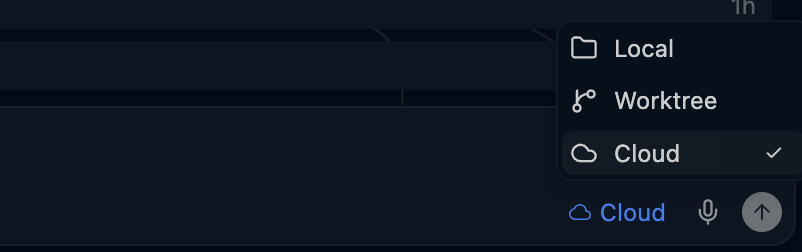
-mentions. - ›Worktree sessions now show a Merge button to bring their changes back into the workspace, with an existing-worktree picker in the agent location selector's Local submenu.
- ›Devin Local customizations has a new Plugins section listing loaded plugins and those offered by your repository, organization, or account.
- ›Codemaps now open in their own editor tabs in agent window mode, and codemap @
-mentionsnow work in Devin Local. - ›Select text inside a message transcript and add it to the chat input with the 'Add to chat' button or ⌘L / Ctrl+L.
- ›Adds keyboard shortcuts for permission requests (always-allow and reject), with shortcut hints shown on buttons and dropdown entries.
- ›Agent sidebar gains right-click context menus, double-click to rename, per-workspace filters/sort/grouping, greyed-out locked (read-only) sessions, a new-session shortcut hint, and sticky grouped spaces.
- ›Cascade, Devin Local, and all other ACP agents are now unavailable while a workspace is open in Restricted Mode, and hooks no longer load or run there.
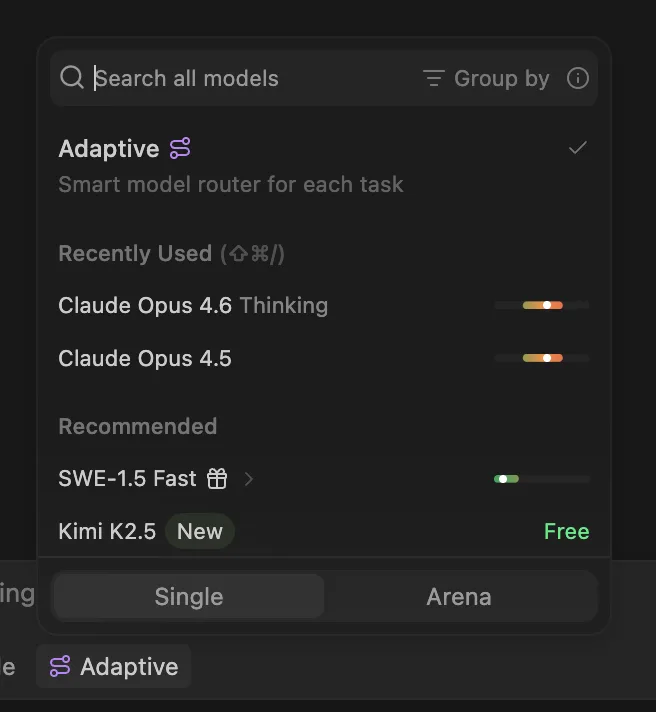
- ›Models marked 'Devin Local only' (including every GPT-5.6 variant) now appear disabled in Cascade's model picker with a tooltip pointing to Devin Local.
- ›Pull request editor tabs now show a state-specific icon (open, draft, merged, or closed), and session-create cards show a Devin mode badge (Fast, Ultra, Fusion).
- ›Megaplan now works in Devin Local, switching the session into Plan mode and prompting the agent to plan first.
- ›New tabs default to Devin Local when no preferred agent is set, falling back to Cascade if unavailable.
- ›'Open customizations' is now available from the new-tab menu in an agent space and from a Devin Local session's sidebar context menu.
- ›Updated the base IDE to VS Code 1.126.
└──▷ BREAKING ON UPGRADE- !Cascade, Devin Local, and all ACP agents are unavailable and hooks do not load or run while a workspace is open in Restricted Mode.
- ›New
- v3.7.16
Devin Desktop v3.7.16 adds shareable Local conversations, composable permission rules, per-MCP log channels, and mid-turn revert controls.
└──▷ USE ITRestore the modal overlay for Settings and Keyboard Shortcuts if your team prefers the old behavior."workbench.editor.useModal": "all"
Share a completed Devin Local conversation with your team — transcript is auto-sanitized before upload.📍Open the actions menu below a completed turn › Share Conversation- ›Adds
workbench.editor.useModal:allconfig key to restore the modal overlay for Settings and Keyboard Shortcuts, which now open as regular editor tabs by default. - ›Separates each MCP server's logs into its own
MCP: <server>output channel for cleaner observability. - ›New 'Share Conversation' action for Devin Local conversations uploads a sanitized transcript (system prompts and tool definitions dropped, secrets redacted, paths normalized) and copies a team-visible link; accessible from the actions menu below a completed turn.
- ›Composable permission rules across enterprise, mode, user, project, and subagent levels — an explicit
deny: alwayswins unconditionally, 'always allow' options appear only when the grant would actually take effect, and denials identify which layer denied them. - ›Customizations panel gains full-text search across skills, subagents, rules, hooks, plugins, and MCP servers, plus a new Subagents section and a refresh action for plugins.
+11 moreshow less
- ›Plugins installed from the Customizations panel are added to personal plugins by default (available in Devin Cloud and on other devices); 'Install locally' limits the install to the current device.
- ›Large-file reads through ACP are now bounded and paginated instead of repeatedly re-reading overflow files.
- ›Revert buttons appear as soon as a prompt is sent; reverting mid-turn cancels the in-progress agent turn first.
- ›Codemaps and MCP configuration files now open from the remote machine when connected over WSL, SSH, or a dev container.
- ›'Duplicate session' and 'Send as fork' open the fork in a new tab, keeping the original conversation intact.
- ›The +X −Y diff summary on a collapsed agent group is now clickable and opens a multi-diff editor scoped to that group's files.
- ›Queued messages can be edited by clicking the edit button or pressing ⬆ in an empty input to pull the last queued message back.
- ›Session size chips use the same enterprise ACU thresholds as the web app, with auto-continuation billing notices appearing inline in the transcript.
- ›'Grant access' on a network access request is disabled with an explanation when an admin owns the session's network policy.
- ›Starting an agent in a new worktree that fails now surfaces the git error instead of silently falling back to the main workspace.
- ›'Create New Terminal in Editor Area' now works inside worktrees.
- ›Adds